Why Is This the Best 3D Printing Filament Storage Solution?
StatPro is known for its high-end desiccant dry cabinet technology used for humidity and temperature control in cleanroom and electronics manufacturing. StatPro filament dry cabinets are designed specifically for storing 3D printing filament and support materials at a price anyone with a 3D printer can afford.
Outstanding Humidity Control (With Data to Back It Up)
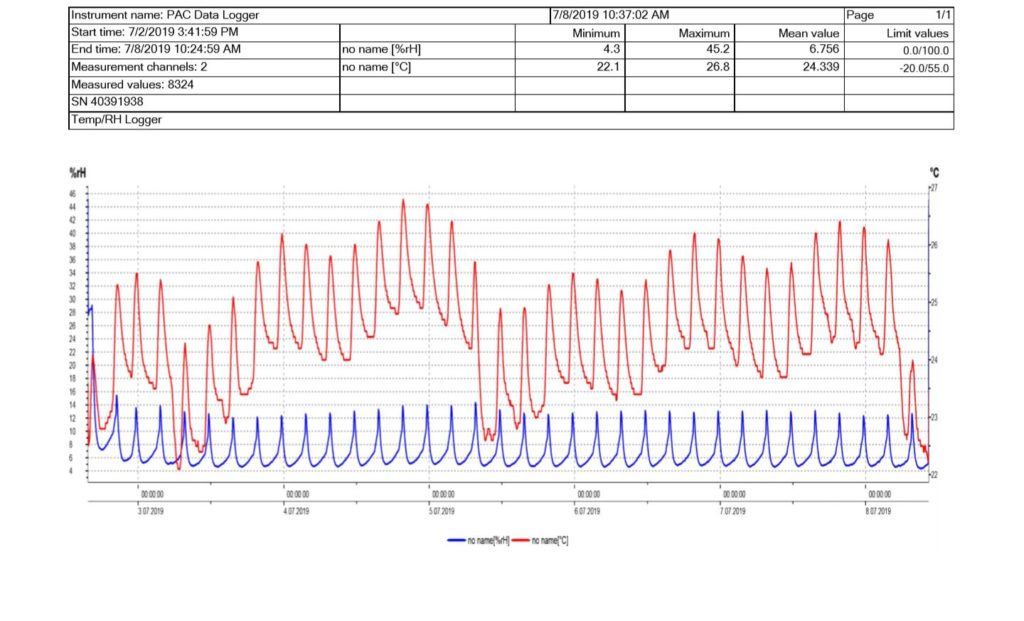
We’ve tested these cabinets in-house with a data logger. Below you can see temperature in red, and relative humidity readings in blue. Importantly, the overall humidity is not affected by temperature. Changes in ambient temperature, such as turning off the AC or heat/cold nearby will not have an meaningful impact on the conditions within the cabinet. In the example below, you can observe how AC on/off the ambient temperature over the course of a few days.
The maximum RH level (22%) reflects the initial conditions before it was closed. The RH then hovers between a max of ~12-14% RH, and reaches as low as 4% RH. The gauge itself slowly adjusts to cabinet conditions, thus usually remains around ~10%. However, the actual readings within the cabinet are reflected below in blue. These results will vary based on the number of spools, sizes, and amount of moisture, but ultimately will provide a perfect environment for long-term storage and active use.
Automatic Humidity Control & Feeder Ports
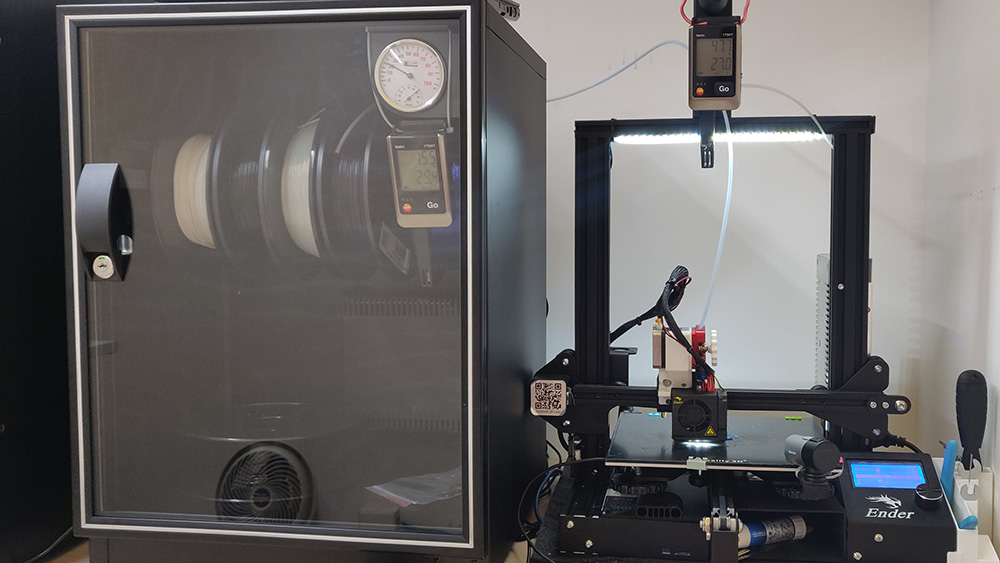
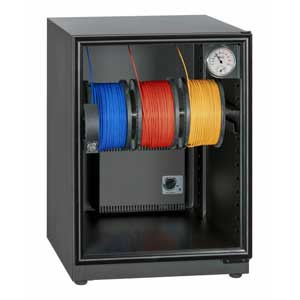
Automatic humidity controlled cabinets provides a quick and simple way to store filament without hassle. Better yet, the feeder ports allow you to feed your 3D printer without ever opening the cabinet. Simply set the desired humidity level, store the filaments and the dehumidifier will take care of the rest. Your filament stays dry, accessible, identifiable, and ready to be used anytime you need them for a print.
Disadvantages of Traditional Drying Methods
- Oven Baking: High energy costs, decreases tensile strength, time-consuming, melt filament if too hot
- Desiccants: No RH control, constant replacement, and maintenance
- AC & Dehumidifier: High energy cost, unable to reach below 40% RH, ineffective in low temperatures
- Other Filament Dryers: Constant heat baking with high energy consumption, unable to dry for extended periods, only able to dry a few spools at a time
Read More: 3D Printer Filament Storage: Is Humidity A Silent Killer for 3D Printed Parts?
Frequently Asked Questions
Does this cabinet “dry” filament?
While saying this cabinet “dries” filament isn’t technically false, it’s important that the intended function is clear. It’s not designed as a replacement for rapidly heating filament and baking out moisture at high temperature.
Do I still need to “bake” my filament?
You won’t replace baking…you’ll avoid it completely. Notably, filaments such as nylon may absorb unacceptable amounts of water in the short they are on the printer. This cabinet provides active feedports for use during prints, and long term storage between cycles. By simply removing your filaments from the factory sealed packaging and placing them into the cabinet, you’ll avoid any baking or saturation completely.
What if my filament is already saturated?
Items stored in a low humidity environment will eventually dry out, but there are no specific metrics for this process. Depending on the material and saturation level, these figures vary. In most cases, it takes too long to be considered a viable production drying solution. Quickly removing moisture from filament likely requires active heat.
Notably, filaments such as nylon may absorb unacceptable amounts of water in the short period of time they are on the printer. This cabinet provides active feedports for use during prints, and long term storage between cycles. By simply removing your filaments from the factory sealed packaging and placing them into the cabinet, you’ll avoid any baking or saturation completely.